

Wise Bank Transfer Payment
Did you choose Wise during your quotation request? If yes and once you accept it you’ll be prompted to pay your invoice via Wise. If you already have a Wise account, simply skip the setup steps and proceed directly to the “Locate DiY District” section.
Wise account setup – what you’ll need first
Before you start, keep the following items nearby. Having everything ready speeds up sign‑up and verification.
| What you need on your desk |
Personal Account |
Business / Sole-trader Account |
|---|---|---|
| Photo ID + selfie | ☑️ | ☑️ |
| Proof of address | ☑️ recent utility bill/bank statement | ☑️ business address document (lease, tax letter) |
| Company documents | – | ☑️ registration extract (SIRET / K-bis) + shareholder list |
| Bank card / online banking | ☑️ fund first transfer | ☑️ pay one-off activation fee ≈ USD 31 / EUR 50 / GBP 45 & fund transfers |
| Typical approval time | Minutes | 24 – 72 h after docs uploaded |
Choose & create your Wise account
-
Go to wise.com → Register.
-
Choose Personal (if you only need to pay) or Business (if you also invoice or receive funds).
-
Upload the docs above and complete the live selfie.
-
Wise usually verifies within minutes (Personal) or 24 – 72 h (Business).
- Et voilà, you can now move to the next step.
Locate DiY District
Choose either of the three zero‑error methods below and follow the easy steps to sent your international transfer.
Scan our QR Code – fastest, zero typing
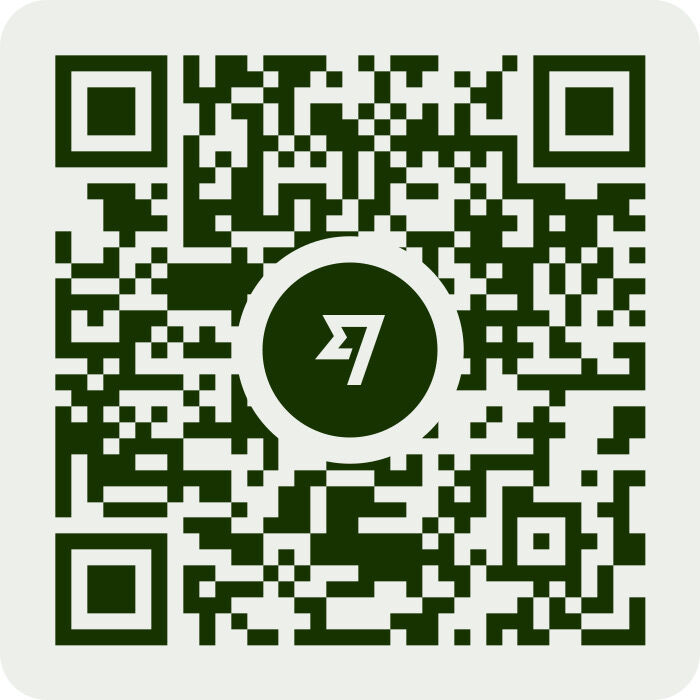
Payment link – click & go
https://wise.com/pay/business/
Wisetag search – add us as a saved recipient
-
Dashboard → Recipients → Add
-
Search us with our wisetag @h2mh4p
- Save
Send the transfer
-
Whichever method you chose, Wise auto‑fills our details in JPY.
-
Enter the exact invoice amount, description ( ref. order for example ) and confirm the recipient name ディアイワイディ ストリクト ( meaning DiY District in Japanese katakana )
- Select your funding source, wise balance is the fastest one.
-
Review the live FX rate & small Wise fee if you fund in another currency.
-
Click Send et voilà !
(Remember: Wise‑to‑Wise in the same currency is fee‑free for both parties.)
Confirm purpose & finish
-
Wise may ask for a Purpose of transfer. Pick "Payment for goods and services" (or nearest equivalent).
-
Double‑check the invoice/reference number is in the memo field.
-
Click Send. Funds normally land in our account within minutes.
You’ll receive an instant e‑mail receipt, and so will we. That’s it, invoice settled!
Security tips for both sides
| Good practice | Why it matters |
|---|---|
| Always access Wise via https://wise.com or the official mobile app | Prevents phishing |
| Confirm the company name (ディアイワイディ ストリクト) before sending | Avoids man-in-the-middle scams |
| DiY District shares bank details inside a gated customer portal / secure PDF, never in open forum | Reduces exposure to fake-invoice fraud |
| Never share your Wise login or 2-factor code | Breach of Wise terms & can lock your account (Wise) |